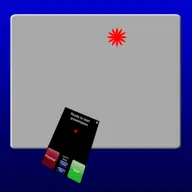
Pointer Remote for PowerPoint and Keynote
by Zentropy Software
- Productivity
- Paid
- Zombie
- Small & simple · 100
- Rating
- 1.3
- 4 ratings · Brazil storefront
- Last update
- Feb 2, 2019
- Version 3.0
- Size
- 3 MB
- Category
- Productivity
- Tracked since
- Oct 10, 2026
Estimated revenue
A model estimate with a likely range, not a reported figure.
No estimate. Apps outside the grossing charts, and some countries, have no reliable rank-to-revenue curve, so we show nothing rather than a guess.
How this estimate is made
Rank: we take the app's best Top Grossing rank on the latest chart day. Category ranks are converted into an equivalent overall rank, because a #10 in Finance earns far less than a #10 overall.
Curve: that equivalent rank is read off a rank-to-revenue curve anchored on public company revenue and market-data reports for the US iPhone App Store.
Country: the curve is scaled per country (Japan is roughly a third of the US, Türkiye under 1%). Where we have no scale, such as China, there is no estimate.
Range: the likely range widens with country, category and chart depth. It is a plausible span, not a statistical confidence interval.
Not included: ads, payments outside the App Store, and any difference between gross sales and what the developer keeps. Low confidence means indirect data; medium means several independent sources agree.
Full methodScreenshots
As shown on the App Store listing.
About this app
Text from the App Store listing.
Turn your iPhone or iPad into a pointer and controller for PowerPoint or Keynote presentations. Has 'Next Slide' and 'Previous Slide' controls, and can show notes from presentations on the iPhone display along with a timer. Pointer icon can easily by replaced by any image, which could be used for humorous purposes. Touch the screen to show the pointer - which is controlled either by dragging your finger around the screen (easy) or by orientation (takes a little practice) - your choice.
Requirements: Computer running Mac OS X 10.7 or higher, WiFi connection (on the same local network or by creating a computer-to-computer network), and PowerPoint or Keynote (choose the program on the back side of the App). Please note that this app cannot control an iPad Keynote presentation.
A small Mac application, PointerServer, must be downloaded to your computer and started whenever Pointer is used. This program is available for free at:
http://www.zentropysoftware.com/ZS/Pointer_files/PointerServer3.zip
Please note that the presentation runs on your computer, not directly from the iPhone or iPad. Instead the iPhone/iPad controls the computer.
A support e-mail address is listed at the support web site.
What’s new
Release notes for the latest version, as written by the developer.
Updated for iOS 10 and recent iPhones.
Rank history
Daily position in the Liberia charts. #1 is at the top.
- Best rank
- #4
- Current rank
- #4
- Days charting
- 7 of 7
On the charts today
Small & simple score
How realistic it is for a small team to build something like this.
100/100
Small & simple
- Developer size100% · 25
Developer: 1 app on the charts
- Audience size100% · 20
Ratings: 4
- App size100% · 10
Size: 3 MB
- Price model100% · 15
Price model: paid
- Demand proof100% · 30
Best rank #4, 42 countries
An indicator, not a fact. We can't see team size. Calculated Oct 24, 2026 · method i2
How the score worksVersion history
- 3.0LatestReleased Feb 2, 2019